Maximizing Value with the Vintage Damask Ornament Bundle SVG
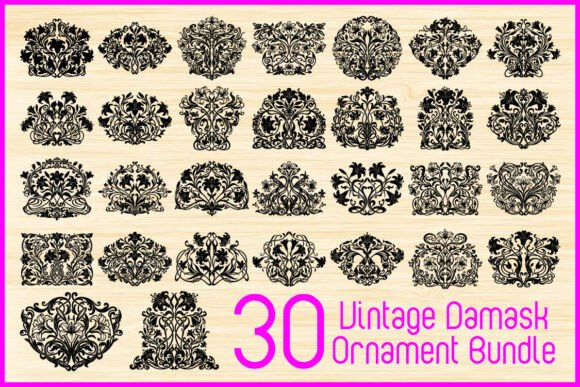
Integrating classic aesthetics into modern digital design requires more than just a keen eye; it demands high-quality assets that hold up under scrutiny. The Vintage Damask Ornament Bundle SVG offers a curated collection of thirty unique designs, blending baroque-inspired details with functional versatility. However, many creators rush into purchasing or using these files without fully understanding how to leverage their potential or avoid common pitfalls. By addressing these overlooked aspects, you can ensure your projects maintain a luxurious, timeless atmosphere while saving time and resources.
Understanding the Asset Beyond the Aesthetic
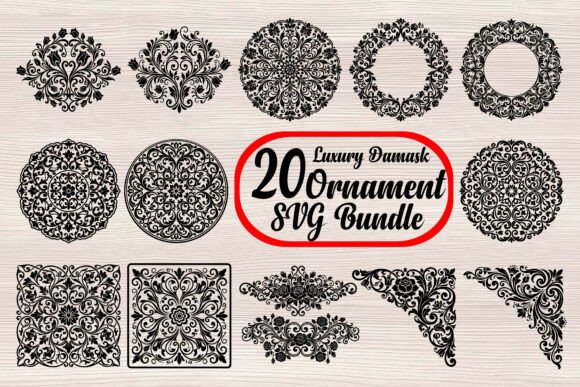
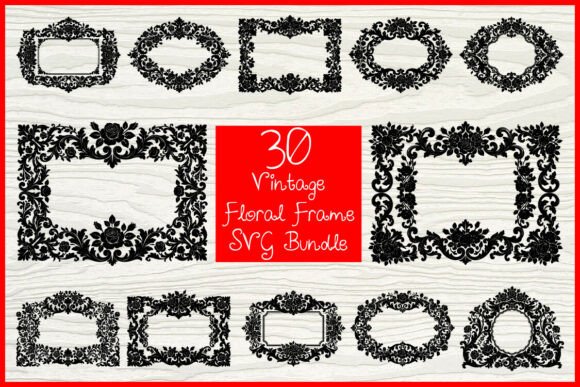
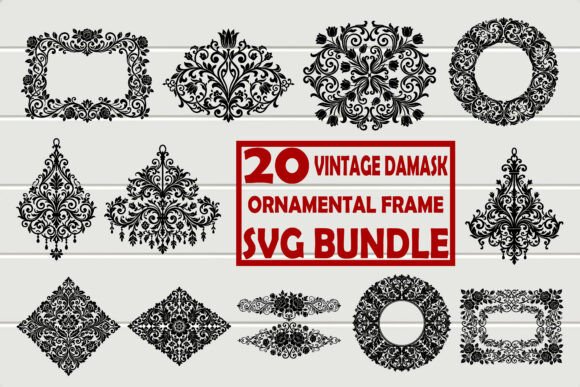
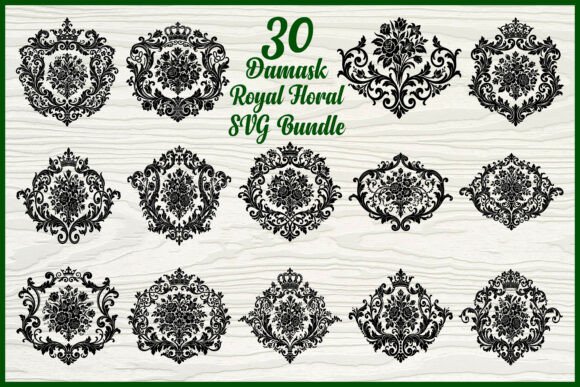
At its core, this bundle provides thirty distinct damask ornament silhouettes rendered in a highly detailed black vector style. These are not merely decorative clips; they are complex compositions of floral scrollwork, ornamental patterns, and elegant frames. The inclusion of multiple file formats—SVG, PNG, JPG, EPS, PDF, and AI—ensures compatibility across a wide spectrum of software, from Cricut Design Space and Silhouette Cameo to professional tools like Adobe Illustrator and CorelDRAW.
Many beginners mistake these ornaments for simple background elements. In reality, their intricate nature makes them powerful focal points. Whether you are designing wedding invitations, printable wall art, or laser-cut home decor, the density of the line work contributes to a sense of luxury. Ignoring this depth often leads to underutilized designs that fail to convey the intended elegance.
Common Mistakes in File Selection and Preparation
One of the most frequent errors crafters make is selecting the wrong file format for their specific machine or software. While SVGs are universally praised for cutting machines, they are not always the best choice for every application. For instance, using an SVG for a simple print-on-demand t-shirt design might result in unnecessary node complexity if a high-resolution PNG would suffice. Conversely, attempting to use a JPG for laser cutting will fail entirely because raster images lack the vector paths required for precise cuts.
Why this matters: Using the incorrect format can lead to poor cut quality, excessive weeding time, or blurry prints. This directly impacts your efficiency and the perceived quality of the final product.
Better Approach: Always assess your end goal before opening the file. If you are using a Glowforge or Cricut for physical cutting, stick to the SVG or DXF equivalents if available. For digital printing or sublimation where scaling is not required beyond a certain point, the included 300 DPI PNGs offer a simpler workflow without sacrificing clarity.
Overlooking Scale and Proportion
Damask patterns are inherently detailed. A common misunderstanding is assuming that these designs will look identical at any size. When scaled down too small for items like stickers or small decals, the fine floral scrollwork and baroque-inspired details can merge, creating a muddy appearance. On the other hand, scaling them up excessively for large wall decor without checking path integrity can reveal jagged edges if the original vector nodes were not optimized.
Impact on results: Poor scaling compromises readability and aesthetic appeal. A wedding invitation with illegible ornamental borders looks unprofessional, regardless of the paper quality used.
Practical Advice: Test your designs at actual size before final production. Use the preview function in your software to zoom in on the intricate details. If the lines appear too close together, consider simplifying the design by removing minor flourishes or increasing the overall dimensions of the project. For laser cutting, ensure that the spacing between cut lines meets your machine’s minimum kerf requirements to prevent material burn-through or structural weakness.
Neglecting Layer Management in Complex Designs
The Vintage Damask Ornament Bundle SVG features sophisticated illustrations with multiple overlapping elements. Beginners often import these files as a single grouped object, making it difficult to customize colors or separate components for multi-layered projects. This oversight limits creative flexibility and can cause issues when sending files to cutting machines that interpret each color layer as a separate cut pass.
Effect on usability: Without proper layer management, you may encounter unexpected cuts, wasted material, or an inability to achieve the desired two-tone effect often seen in luxury vintage artwork.
Solution: Upon importing the SVG into your software, immediately ungroup the elements. Identify which parts constitute the frame versus the inner floral details. Assign distinct colors to layers you intend to cut separately. This practice is essential for creating dimensional effects in scrapbooking or layered paper crafts. It also allows for easier editing if you wish to modify specific flourishes without affecting the entire ornament.
Ignoring Licensing and Commercial Use Guidelines
While this bundle is ideal for small business crafting products, many entrepreneurs overlook the specific terms of use associated with digital assets. Assuming that "personal use" covers selling physical items made with the designs is a critical error. Similarly, reselling the digital files themselves is typically prohibited. Misunderstanding these boundaries can lead to legal complications and account suspensions on platforms like Etsy or Amazon Handmade.
Consequences: Legal risks, loss of income streams, and damage to your brand’s reputation.
Constructive Step: Always read the license agreement included with the download. Typically, these bundles allow for the sale of physical end products such as mugs, t-shirts, and invitations. However, they rarely permit the redistribution of the raw SVG or AI files. Keep records of your purchase and license terms to protect your business. If you plan to use the designs for high-volume commercial printing, verify if there are any quantity limits imposed by the creator.
Maximizing Compatibility Across Platforms
Not all SVG readers are created equal. A design that renders perfectly in Adobe Illustrator may display incorrectly in free online converters or older versions of cutting software. Users often blame the file quality when the issue lies in software interpretation. This is particularly relevant for the intricate paths found in damask ornaments.
Impact on satisfaction: Frustration, wasted time troubleshooting, and inconsistent results across different devices.
Recommendation: If you encounter display issues, try opening the file in a different vector editor to isolate the problem. Often, converting the SVG to an EPS or AI format using professional software can resolve path errors. For Cricut and Silhouette users, ensuring your software is updated to the latest version can improve how complex vectors are processed. Additionally, utilizing the included PDF and JPG files as references can help you verify that the visual integrity of the design remains intact during the editing process.
Final Considerations for Creative Success
The Vintage Damask Ornament Bundle SVG is a robust resource for anyone looking to infuse their projects with timeless elegance. By avoiding common mistakes related to file selection, scaling, layer management, and licensing, you can elevate the quality of your work. Whether you are a hobbyist creating handmade gifts or a professional designer crafting luxury decor, attention to these details ensures that the intricate beauty of baroque-inspired details shines through in every application. Take the time to understand your tools and materials, and let these sophisticated illustrations serve as the foundation for your most impressive creative endeavors.